
Preventive Maintenance for Industrial Robots: Common Failures and Solutions
Presented by Amindus Consulting and Solutions
Industrial robots have become vital assets in manufacturing and production environments. Their ability to perform repetitive, precise tasks improves efficiency and product quality. However, like any complex machinery, robots require regular maintenance to avoid unexpected breakdowns and costly downtime. Preventive maintenance focuses on routine tasks that keep robots running smoothly and extend their operational life.
This guide covers the key preventive maintenance tasks technical teams should perform regularly, common failures encountered in industrial robots, and practical solutions to address them. It also highlights the importance of routine checks, software updates, and hardware inspections, along with tips for troubleshooting and maintaining optimal performance.

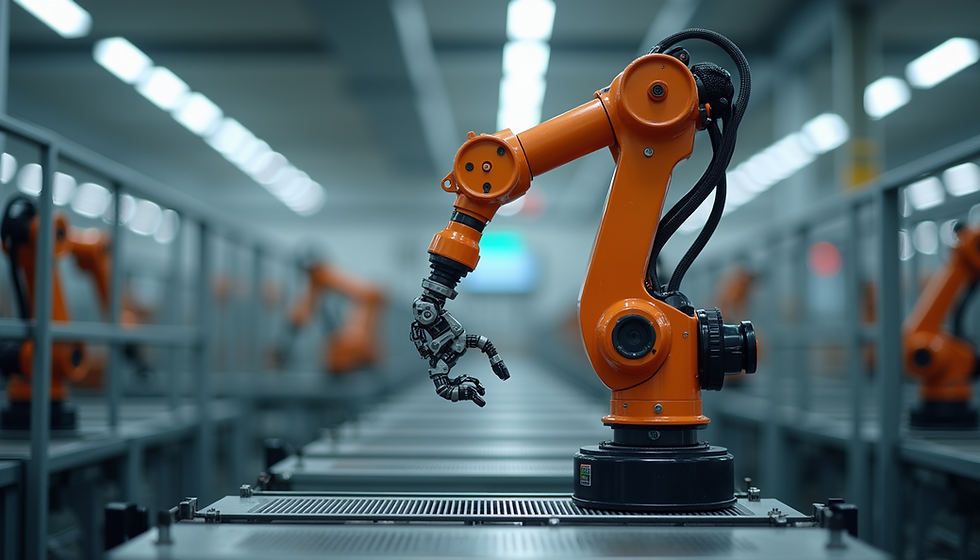
Close-up of a robotic arm joint revealing mechanical components critical for maintenance
Why Preventive Maintenance Matters for Industrial Robots
Industrial robots operate in demanding environments, often running continuously for long shifts. Without proper care, wear and tear can lead to failures that disrupt production lines. Preventive maintenance helps identify issues before they escalate, reducing unplanned downtime and repair costs.
Regular maintenance also ensures robots perform at their best, maintaining precision and speed. This is crucial for quality control and meeting production targets. Moreover, well-maintained robots have longer lifespans, providing better return on investment.
Key Preventive Maintenance Tasks for Technical Teams
Technical teams should establish a maintenance schedule that includes the following tasks:
1. Routine Visual Inspections
Check for loose or damaged cables and connectors.
Inspect joints and moving parts for signs of wear or corrosion.
Look for oil leaks or contamination around hydraulic or pneumatic components.
Verify that safety guards and sensors are intact and functioning.
2. Lubrication of Moving Parts
Apply manufacturer-recommended lubricants to joints, gears, and bearings.
Follow specified intervals to prevent friction and overheating.
Use the correct type and amount of lubricant to avoid buildup or contamination.
3. Cleaning
Remove dust, debris, and grease from robot surfaces and internal components.
Use appropriate cleaning agents that do not damage electronics or seals.
Keep ventilation openings clear to prevent overheating.
4. Software Updates and Calibration
Install firmware and software updates provided by the robot manufacturer.
Calibrate sensors and actuators to maintain accuracy.
Backup robot programs and configurations regularly.
5. Electrical System Checks
Test power supply voltages and grounding connections.
Inspect circuit boards and connectors for signs of damage or overheating.
Verify the integrity of emergency stop circuits and safety interlocks.
Common Failures in Industrial Robots and How to Address Them
Understanding typical failure modes helps technical teams focus their preventive efforts effectively.
Mechanical Failures
Worn Bearings and Gears
Bearings and gears experience constant motion and load. Signs of wear include unusual noises, vibration, or reduced movement smoothness.
Solution: Replace worn components promptly and ensure proper lubrication.
Joint Misalignment
Misalignment can cause uneven wear and reduce precision. It may result from mechanical shocks or loose fasteners.
Solution: Perform alignment checks and tighten or adjust joints as needed.
Electrical Failures
Cable Damage and Connector Issues
Frequent movement can cause cable insulation to crack or connectors to loosen, leading to intermittent signals or power loss.
Solution: Inspect cables regularly, replace damaged wiring, and secure connectors.
Sensor Malfunctions
Faulty sensors affect robot positioning and safety functions. Causes include dirt, damage, or electrical faults.
Solution: Clean sensors, test functionality, and replace if necessary.
Software and Control Failures
Outdated Firmware
Older firmware may have bugs or lack compatibility with new hardware.
Solution: Keep firmware updated and test after installation.
Program Errors
Errors in robot programming can cause unexpected behavior or collisions.
Solution: Review and test programs regularly, especially after changes.
Importance of Routine Checks, Software Updates, and Hardware Inspections
Routine checks allow early detection of potential problems. For example, a small oil leak spotted during inspection can prevent a major hydraulic failure later. Software updates often include bug fixes and performance improvements that keep robots running efficiently and securely.
Hardware inspections reveal wear and tear that might not be obvious during operation. Checking fasteners, seals, and electrical contacts ensures the robot remains safe and reliable. Combining these practices creates a comprehensive maintenance approach that minimizes risks.
Tips for Troubleshooting and Maintaining Optimal Performance
Keep Detailed Maintenance Logs
Document inspections, repairs, and software updates. This history helps identify recurring issues and plan future maintenance.
Train Maintenance Staff Thoroughly
Ensure technicians understand robot systems and manufacturer guidelines. Proper training reduces errors during maintenance.
Use Diagnostic Tools
Employ vibration analyzers, thermal cameras, and software diagnostics to detect hidden faults.
Schedule Maintenance During Downtime
Plan preventive tasks during planned production breaks to avoid disrupting operations.
Monitor Robot Performance Metrics
Track cycle times, error rates, and energy consumption to spot deviations indicating problems.
Establish Clear Safety Procedures
Always follow lockout/tagout protocols and safety guidelines during maintenance to protect personnel.




Comments